07. Creating a Launch Email
Creating a Launch Email Heading
Launch Emails
ND036 C4 L04 A05 Creating A Launch Email
Launch email
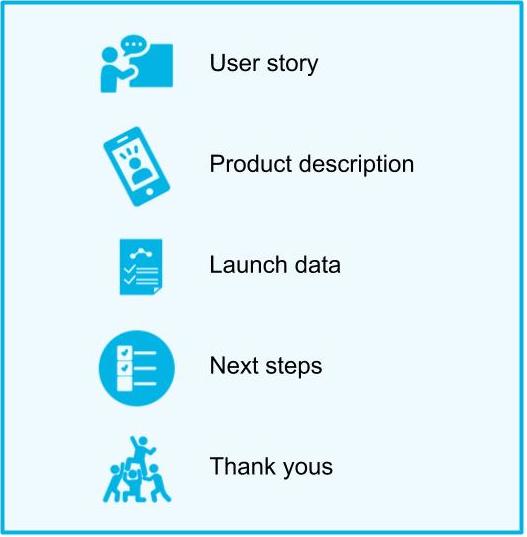
Structure of an Internal Launch Email
Creating a Launch Email Recap
New Terms
Internal Launch Email : An email sent to leadership, partner teams, other teams and most importantly, your manager to announce the launch.
Things to Remember About Internal Launch Emails
Why are Internal Launch Emails Important?
- Product launches are your resume. People need to know about the great work you did.
- Your team deserves recognition as well. It is a part of your job to make sure they get it.
Internal Launch Email Tips
- Start your launch email with a story to capture people’s attention.
- It is a good idea to add some graphics on top of it. Ask your UX design team to help out.
- Briefly describe next steps for your product: new features, scaling and improvements -- but don't go into too much detail. This is not a road map
- Thank all the people who worked on the launch by name. It is always important to recognize the people who did the work!
- Launches are a cause for celebration so the tone of the email should be upbeat and exciting!
Creating a Launch Email Problem Set
SOLUTION:
- Thank you to the team
- Interesting story about your product
- Graphic or mock
- What is next for the product
- Product Description
Think like a Product Manager!
QUESTION: Think like a Product Manager!
Find a press announcement for a new product or feature. What information would you share in an internal launch email for that product?
ANSWER:
One of my favorite companies is Instagram. I just learned that I launched a new design for followers tab.
I am going to make some assumptions since I am not an Instagram PM.
“In the past year, we have heard from a lot of our users, in particular a lot of influencers that they would like to see the followers they interacted the most. The main complaint was that when the user has a lot of followers, they can’t find their most important ones and it makes the interaction with these followers less meaningful.
After a lot of internal discussions, we conducted User Research and decided to redesign our Followers tab! Now users can see the followers they interacted with the most.
Our numbers from the launch are…
We are very excited to continue iterating on this feature as we see interactions between users as most essential for Instagram’s growth. Next are testing more
Thank you to the most amazing team ever!”